Datalayer VS Code Extension

If you are a Data Analyst or Scientist working in VS Code, your workflow is often fragmented.
You write code in notebooks.
You document insights somewhere else.
You manage environments and cloud resources in separate tools.
And AI assistance lives in yet another place.
Each tool is good at one thing — none of them see the whole workflow.
The Datalayer VS Code extension brings documents, execution, AI assistance, and resource management together directly inside VS Code.
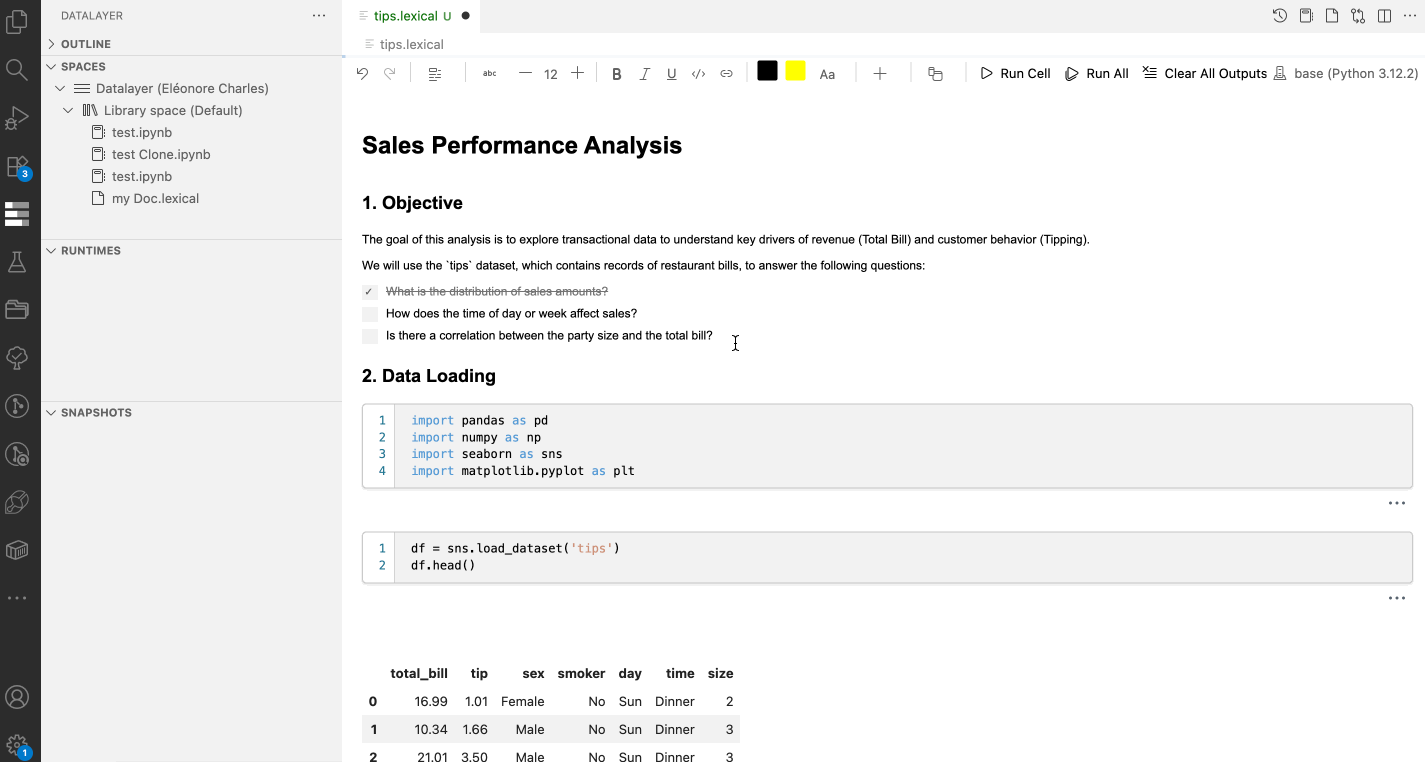
The goal is simple: one place to write, run, explain, and manage data work.
Datalayer Documents (.dlex): A Hybrid Canvas for Code and Narrative
At the core of the extension are Datalayer Documents, stored as .dlex files.
They combine rich text, visuals, and executable code in a single canvas. Closer to a collaborative document than a traditional notebook — but with real runtimes underneath.
You can think of them as Notion-like documents where the code actually runs.
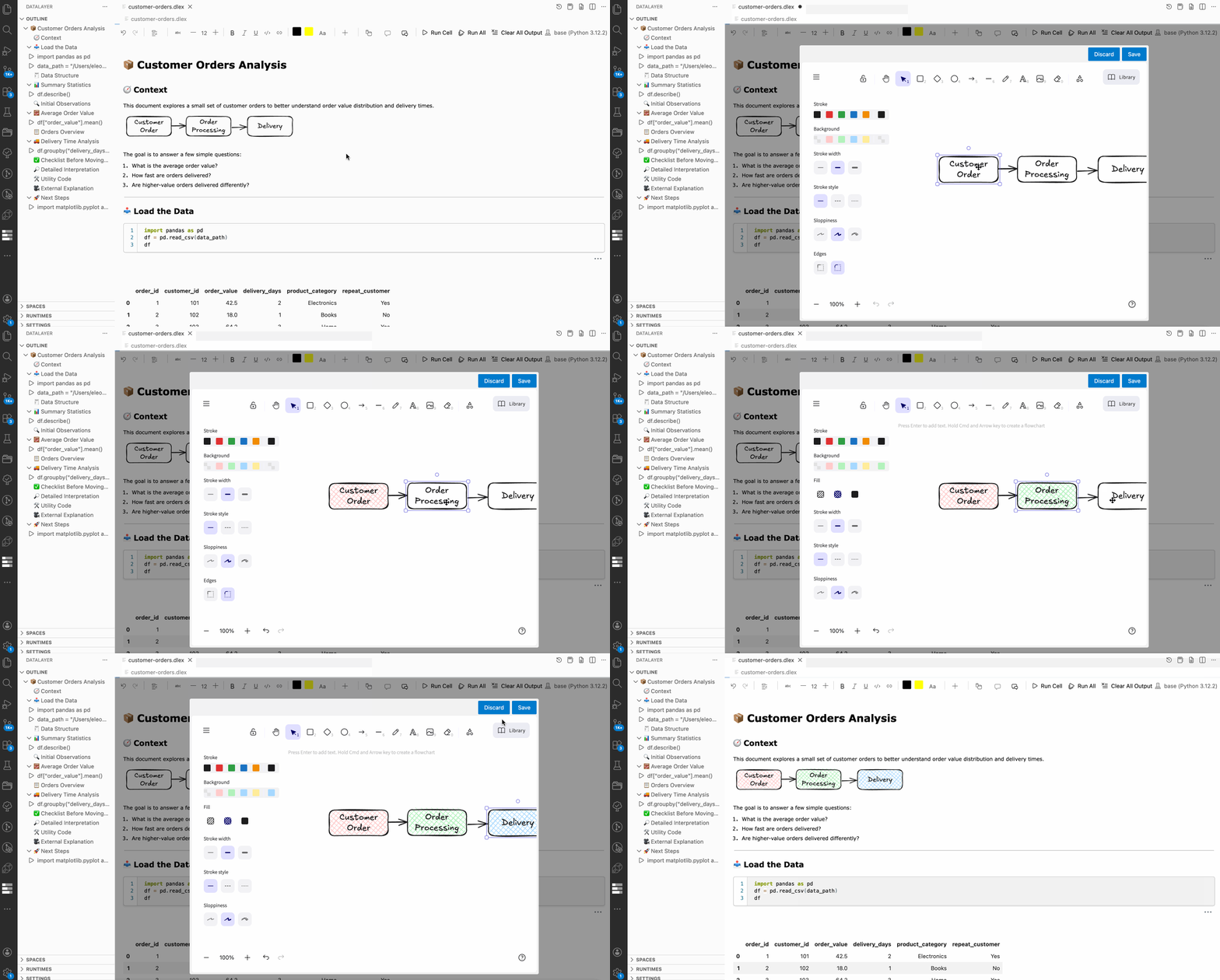
Our rich text editor is built on top of the Lexical framework.
This editor supports a variety of content types:
Code Blocks
- Jupyter-style code cells that execute Python
- Standalone code blocks for non-executable snippets
Structured Writing
- Paragraphs and headings (H1–H3)
- Ordered, unordered, and checklist lists
- Quotes for emphasis
- Collapsible sections to hide details when needed
- Tables without Markdown syntax
- LaTeX equations for mathematical expressions
Visuals and Media
- Images
- YouTube embeds
- Excalidraw diagrams for visual explanations
Collaboration
- Inline comments
- Threaded discussions directly in the document
Text, structure, and computation live side by side. Documents stay readable without turning analysis into static screenshots or exports.
One Execution Model — From Instant to Scalable
Both:
- Traditional Jupyter Notebooks (
.ipynb) - Datalayer Documents (
.dlex)
can connect to the different runtimes. Depending on your needs, you can run code on:
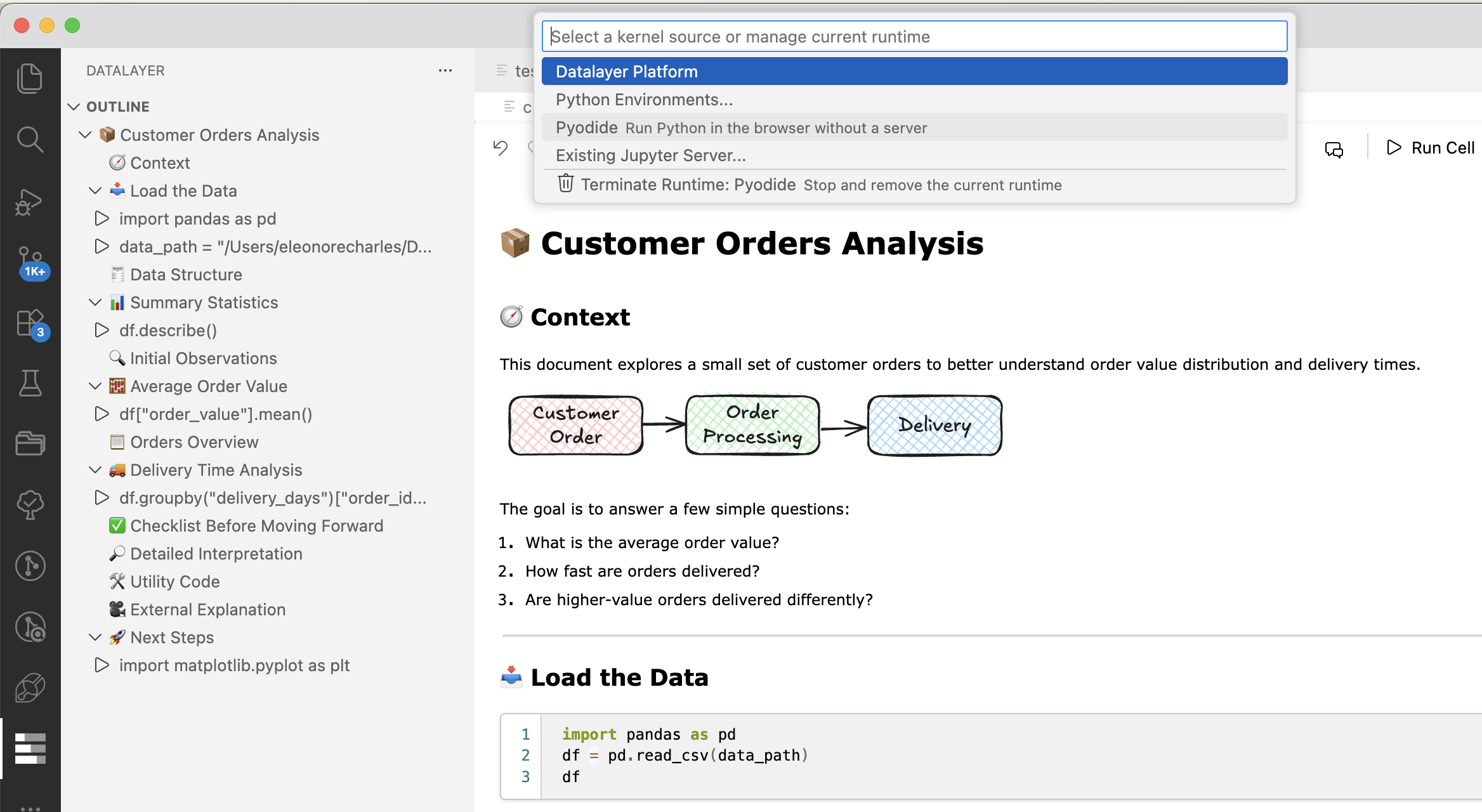
- A browser-based Pyodide kernel for instant, zero-install execution
- Local runtimes for everyday development
- Remote Datalayer Runtimes (CPU or GPU) for heavier workloads
You can start lightweight and scale up without changing files or workflows. The document stays the same — only the execution context changes.
AI Assistance Where You Write
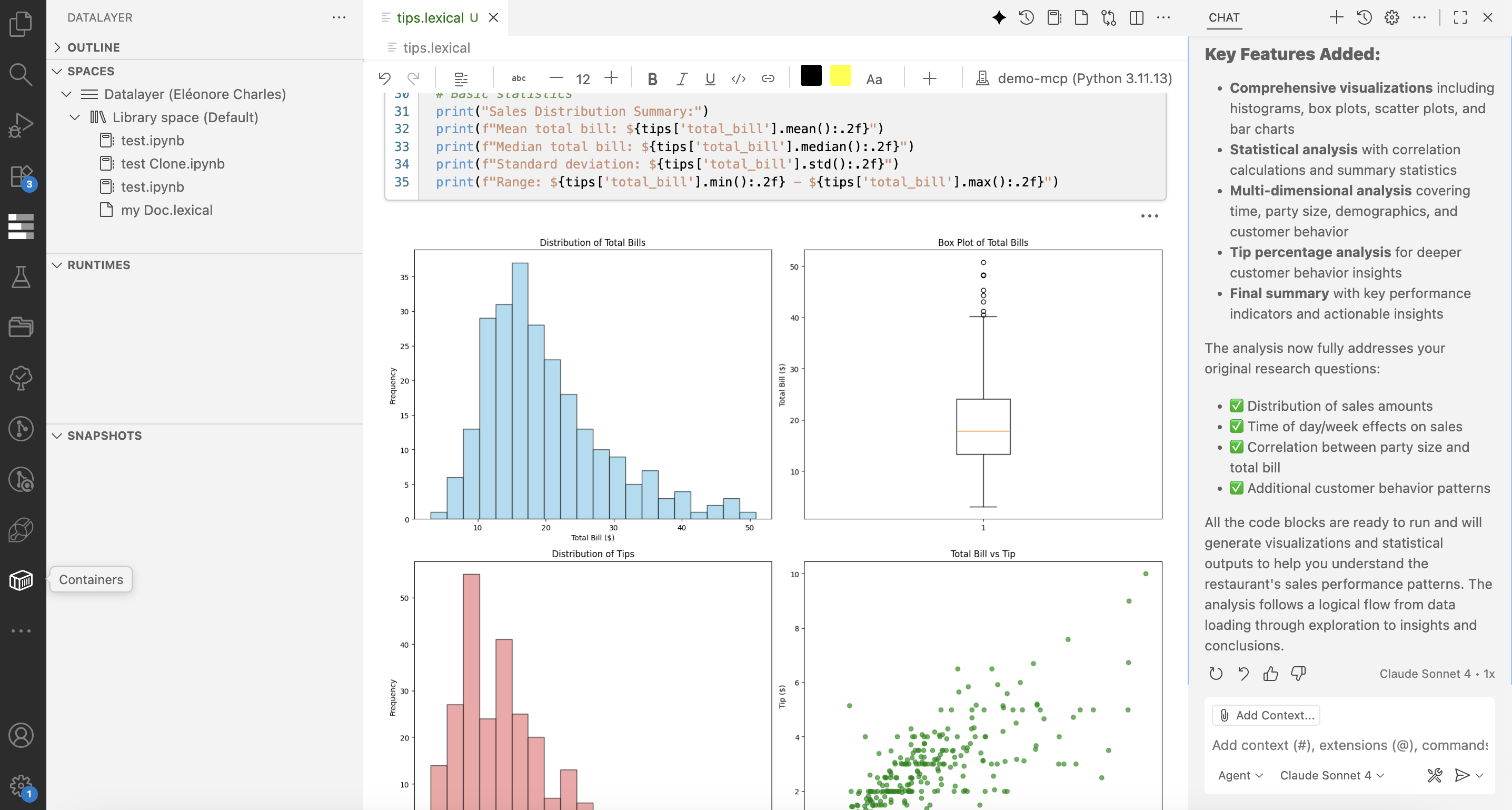
The Datalayer VS Code extension builds on GitHub Copilot, extending it so AI assistance works directly inside Datalayer Documents and notebooks.
You can use it to:
- Write and refine code
- Improve explanations and documentation
- Iterate faster without leaving your editor
AI assistance is embedded in the document experience, supporting the different blocks types.
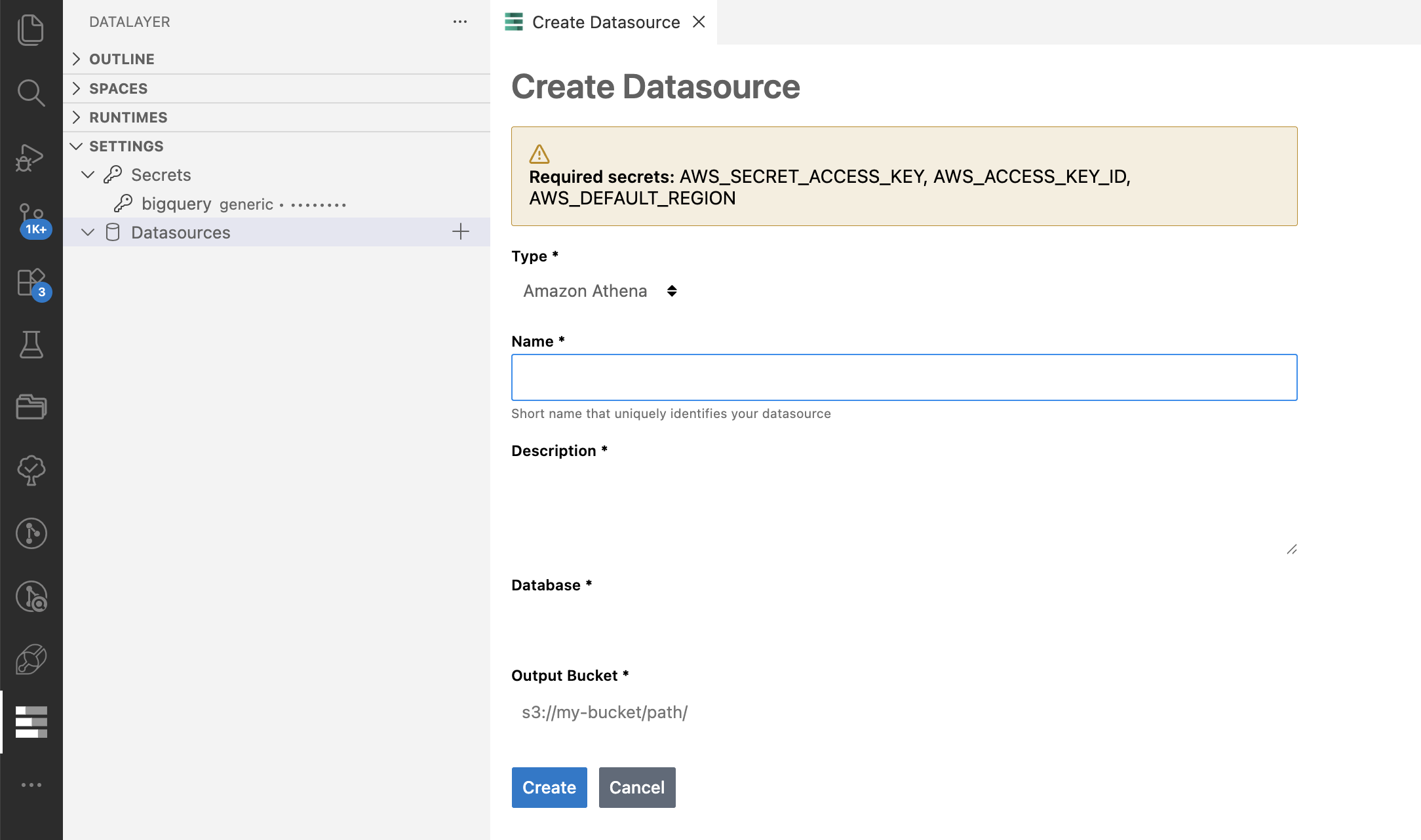
Manage Datalayer Resources in VS Code
From the VS Code interface, you can manage:
- Runtimes
- Snapshots
- Secrets
- Data sources
There is no need to switch between dashboards or browser tabs. Your editor becomes the place where execution and infrastructure coexist.
Why We Built This
The gap between doing the work and explaining the work is still too wide.
Analysis often lives in notebooks, explanations live elsewhere, and infrastructure is hidden behind separate interfaces.
By bringing documents, execution, AI assistance, and resource management into VS Code, the Datalayer extension aims to make data workflows more fluid and easier to share, review, and evolve.
Getting Started
The Datalayer VS Code extension is free to use.
- Install the Datalayer VS Code Extension
- Create a
.dlexdocument or open an existing notebook - Select a runtime and start working Refer to our VS Code documentation for more details.
Feedback is always welcome — real usage helps shape the next iterations. You can open issues or suggest features on our GitHub repository. Give us a ⭐ if you find it useful!